Understanding and Utilising Contact Engagement Scores for Better Lead Management
Your CRM knows which leads are ready to buy and which have gone cold. Here's how to read the signals and act on them.
What Are Contact Engagement Scores?
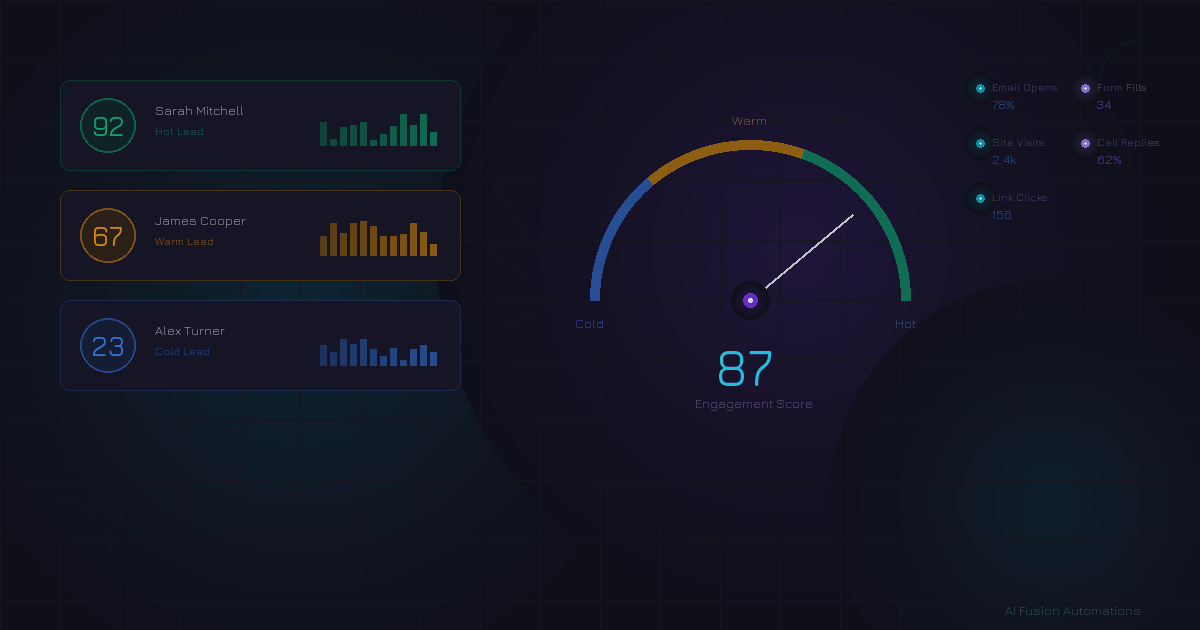
Every time a lead interacts with your business — opening an email, clicking a link, filling in a form, visiting your website, or answering a call — they're telling you something about their level of interest. A contact engagement score is a numerical value your CRM assigns to each contact based on the sum of these interactions.
Think of it as a temperature reading. A high score means the lead is actively engaged and likely closer to making a buying decision. A low score suggests they've gone quiet and may need a different approach — or may not be a fit at all.
Without engagement scoring, your sales team treats every lead the same. With it, they can focus their limited time on the contacts most likely to convert, whilst automated workflows handle the rest.
How CRMs Calculate Engagement Scores
Modern CRMs like GoHighLevel track a wide range of contact activities and assign weighted point values to each. The specifics vary, but here are the most common signals:
Common Scoring Signals
- Email opens — Shows the subject line caught their attention (+1–2 points per open)
- Email link clicks — Stronger intent signal than an open (+3–5 points per click)
- Form submissions — Active engagement, often requesting something (+10–15 points)
- Website visits — Browsing your site indicates research behaviour (+2–5 points per visit)
- Call responses — Answering or returning a call is a high-intent signal (+10–20 points)
- SMS replies — Direct response to outreach (+5–10 points)
- Appointment bookings — Strongest buying signal short of a purchase (+20–30 points)
The weighting matters. A contact who booked a call is far more engaged than one who simply opened an email. Most CRMs allow you to customise these weights so the scoring reflects what actually matters for your business.
Scores also decay over time. A contact who was highly engaged six months ago but hasn't interacted since should not carry the same score as someone who clicked three links this week. Time-decay ensures your data stays current.
Segmenting Contacts: Hot, Warm, and Cold
Once your CRM is tracking engagement, the next step is segmenting your contacts into tiers. A simple three-tier model works well for most businesses:
The exact thresholds depend on your business and sales cycle. A B2B consultancy with a long sales cycle might set the hot threshold lower than an e-commerce brand where purchase decisions happen quickly. The key is to define your tiers, then build your follow-up strategy around them.
Automated Workflows Triggered by Score Thresholds
This is where engagement scoring becomes genuinely powerful. Instead of relying on a salesperson to manually check who's engaged and who isn't, you set up automated workflows that trigger based on score changes.
When a contact crosses into "Hot"
Trigger an immediate notification to your sales team. Send an internal alert via email, SMS, or Slack. The message is simple: "Jane Smith just hit a score of 75 — she's opened 4 emails this week and visited the pricing page twice. Call her now."
You can also automatically move the contact into a high-priority pipeline stage, assign them to a specific team member, or trigger a personalised email offering a call booking link.
When a contact drops from "Warm" to "Cold"
Trigger a re-engagement sequence. This might be a three-email series with fresh value — a new case study, a limited-time offer, or simply asking if they're still interested. The goal is to create a reason for the contact to interact again, which raises their score back up.
When a new lead enters at "Warm"
Enrol them in a nurture sequence designed to educate and build trust. Share useful content, invite them to a webinar, or send a short video explaining how you work. Every interaction nudges the score upward.
Re-engagement Campaigns for Cold Contacts
Cold contacts are not lost causes. Many of them were genuinely interested at some point — the timing simply wasn't right, or they got distracted. A well-crafted re-engagement campaign can revive 10–15% of a cold list.
Effective re-engagement strategies include:
- The "still interested?" email — Short, direct, with a single yes/no call-to-action. Anyone who clicks "yes" gets re-scored and re-entered into your warm nurture sequence.
- Value-first content — Send a genuinely useful resource (guide, checklist, case study) with no hard sell. If they engage, their score rises naturally.
- Social proof updates — Share a recent client win or testimonial. Seeing others succeed with your service reignites interest.
- Sunset sequences — After 2–3 re-engagement attempts with no response, let the contact know you'll stop emailing unless they opt back in. This cleans your list and improves deliverability.
Using Scores to Prioritise Sales Team Time
For small businesses where the founder is the sales team, engagement scores are a lifeline. Instead of spending an hour reviewing your entire contact list each morning, you simply sort by score and work from the top down.
In practical terms, this means:
- Start your day with hot leads. These contacts are actively engaged right now. A timely phone call or personal email can close the deal whilst the momentum is there.
- Batch your warm lead follow-ups. These contacts need consistent touchpoints but don't require immediate attention. Schedule 30 minutes to send personalised check-ins.
- Let automation handle cold leads. Your re-engagement sequences run in the background. You only need to step in if a cold contact re-engages and crosses back into warm or hot territory.
How Scoring Changes Your Follow-up Strategy
Without scoring, follow-up is guesswork. You send the same email to everyone, call contacts in the order they entered your CRM, and hope for the best. With scoring, every interaction is informed by data.
Example: Two leads enter your CRM on the same day
Lead A fills in a contact form, then opens your welcome email but doesn't click anything. Score: 15 (cold).
Lead B fills in the same form, opens the welcome email, clicks through to your pricing page, then returns the next day to read a case study. Score: 42 (warm).
Without scoring, both leads get the same follow-up. With scoring, Lead B gets a personalised email referencing the case study they read, plus a direct call booking link. Lead A enters a standard nurture sequence. The result? Lead B feels understood. Lead A gets nurtured without burning your time.
Common Mistakes to Avoid
1. Ignoring engagement scores entirely
Many businesses set up a CRM, import their contacts, and never look at engagement data. The scoring is happening in the background, but nobody acts on it. If you're paying for a CRM with scoring capability, use it. Otherwise you're leaving conversions on the table.
2. Over-relying on scores without context
A high score doesn't always mean a contact is ready to buy. Someone might be highly engaged with your free content but have no budget. Conversely, a senior decision-maker who opens one email and books a call is arguably hotter than a contact who's opened 50 emails over six months. Use scores as a guide, not a gospel.
3. Never recalibrating your thresholds
Your hot/warm/cold boundaries should evolve as you learn what actually leads to conversions. Review quarterly: are your "hot" leads actually converting? If not, your thresholds or weightings need adjusting.
4. Forgetting about score decay
Without time-decay, a contact who was active two years ago still appears "hot." Ensure your CRM reduces scores for inactivity so your data reflects current reality.
5. Scoring every interaction equally
An email open is not worth the same as an appointment booking. If all interactions carry the same weight, your scores lose meaning. Invest time in setting up proper weightings that reflect genuine buying intent.
Getting Started
If you're using GoHighLevel or a similar CRM, engagement scoring is likely already available. The steps to put it to work are straightforward:
- Review your CRM's scoring settings and customise the point values to match your business.
- Define your hot, warm, and cold thresholds based on your sales cycle.
- Build three automated workflows: a hot-lead alert, a warm nurture sequence, and a cold re-engagement campaign.
- Start each day by reviewing your hottest leads first.
- Review and adjust your thresholds quarterly based on actual conversion data.
It takes less than an afternoon to set up, and the impact on your conversion rates can be significant. You'll spend less time chasing unresponsive contacts and more time in conversations that actually lead somewhere.
Want to see the ROI of better lead management?
Use our free ROI Calculator to estimate how much time and revenue you could recover with smarter CRM automation.
Free · No obligation · Based in East Sussex, serving UK businesses